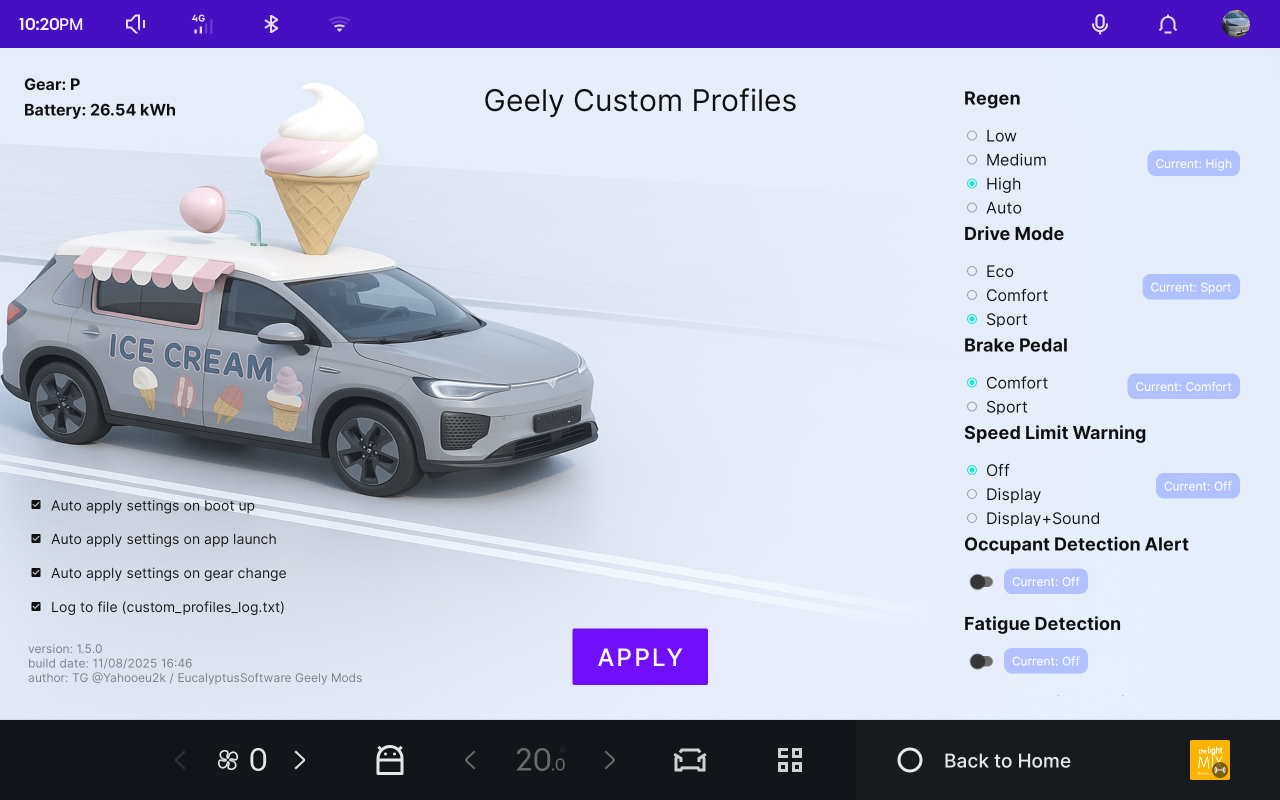
Your Geely, upgraded.
Per-driver profiles with automatic Bluetooth phone handover. Quick toggles, routine automation. Your preferred settings apply automatically every drive — no more Driver Assist ritual, and your star button is yours again.
It handles the little things: Spotify/Radio starts playing, volume settles to a sane level, headlights turn off when you park, massage starts when you buckle up, Waze automatically opens ready to navigate, and more.

Explore the app menus
Each category keeps your Geely EX5 / E5 settings easy to find on the large infotainment display.
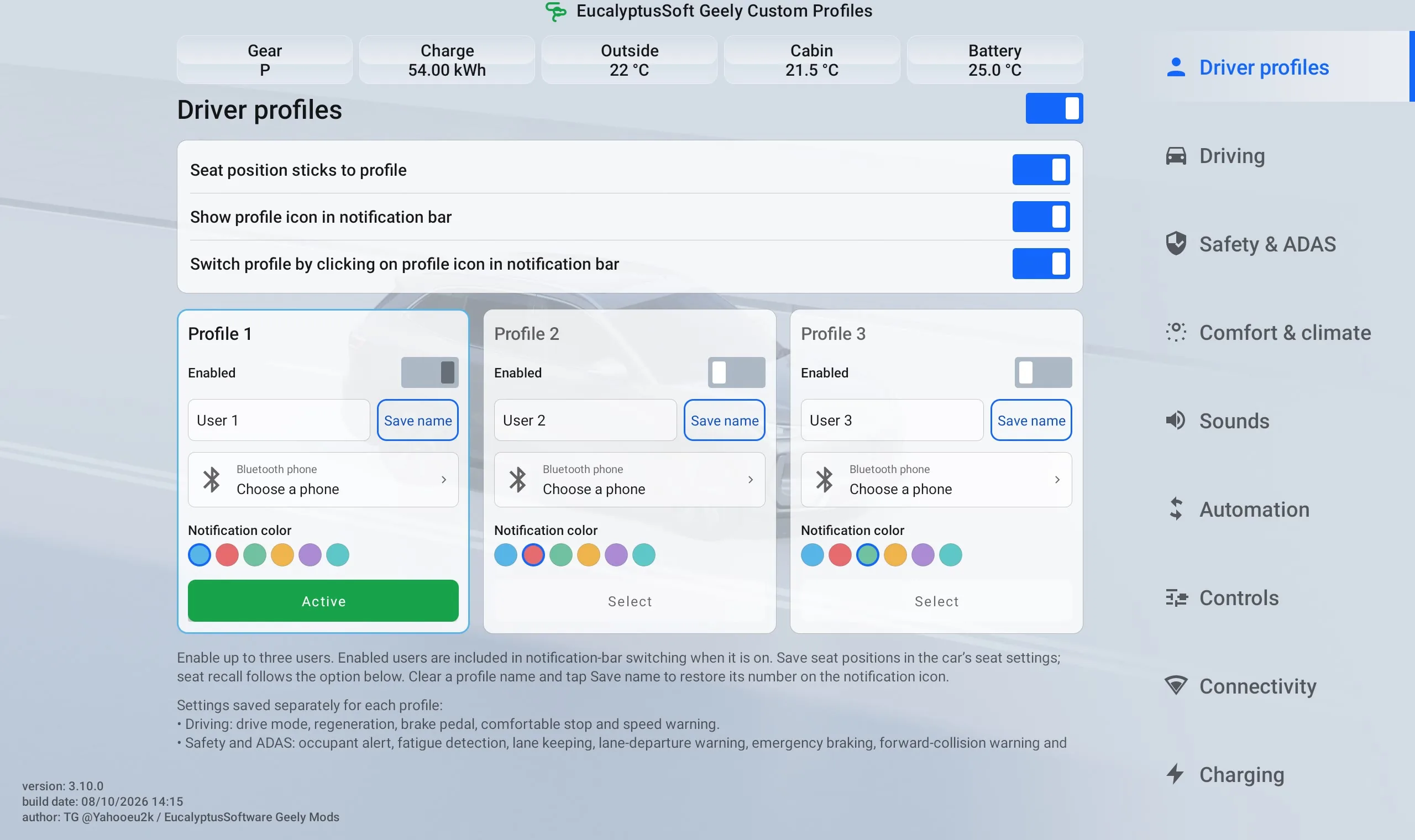
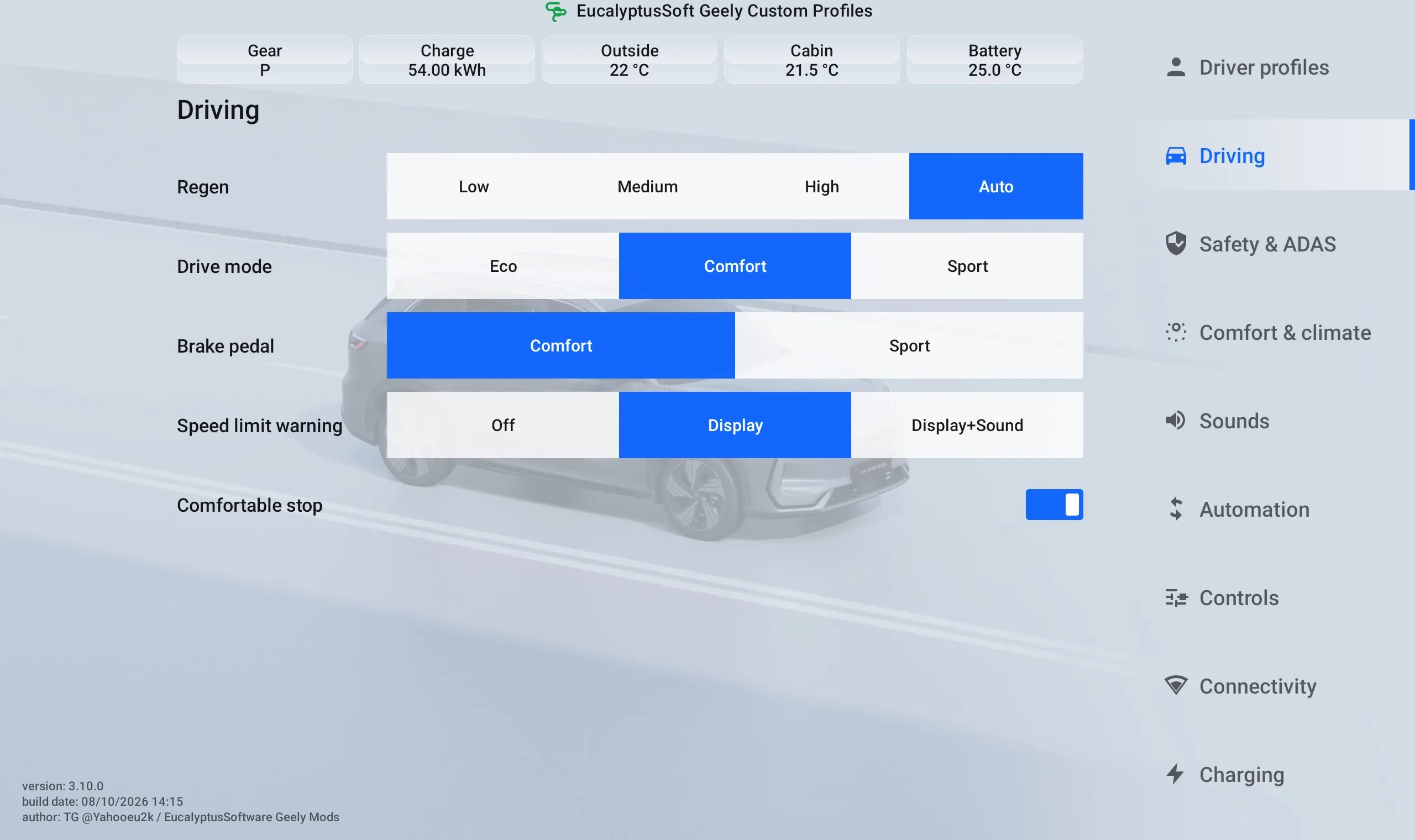
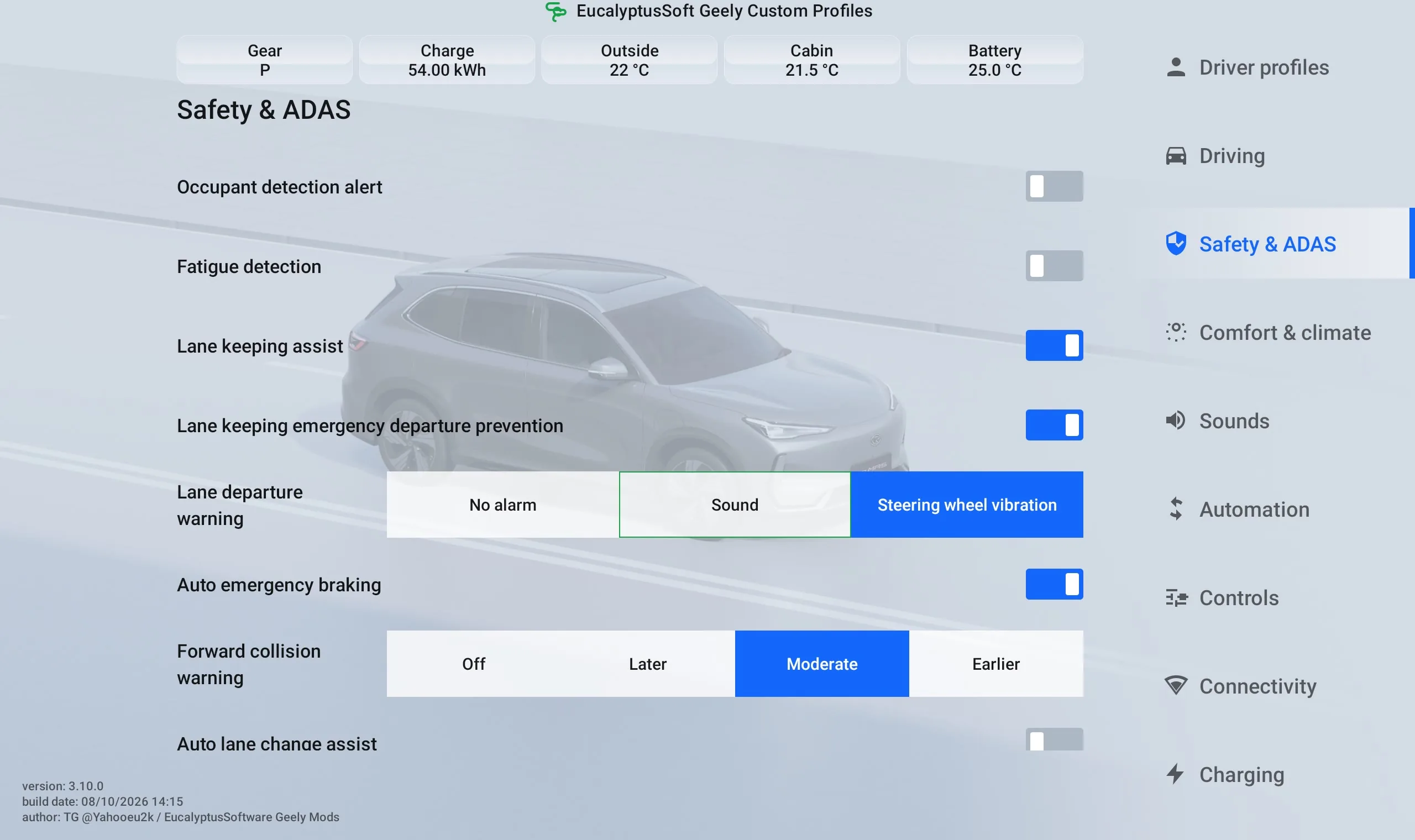
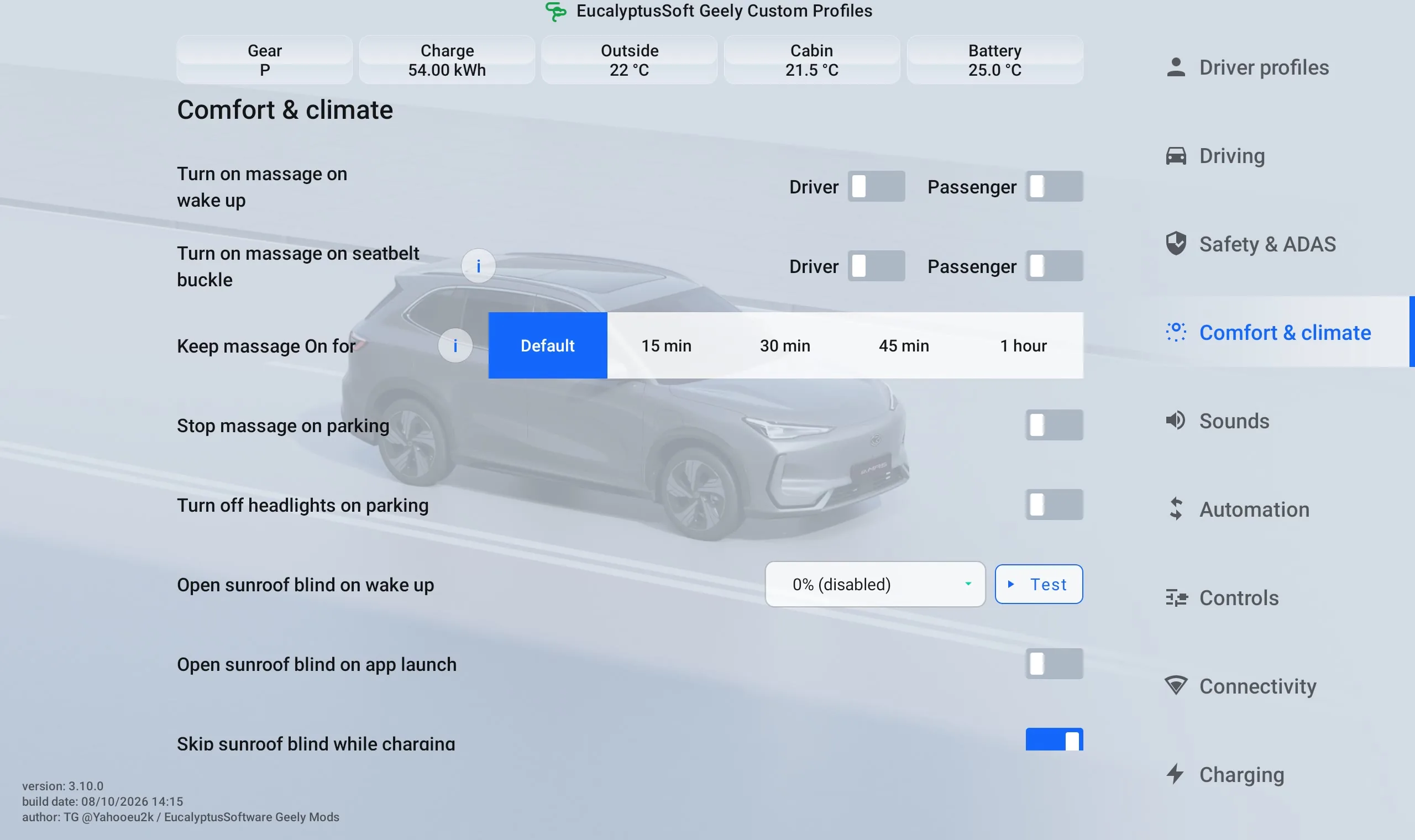
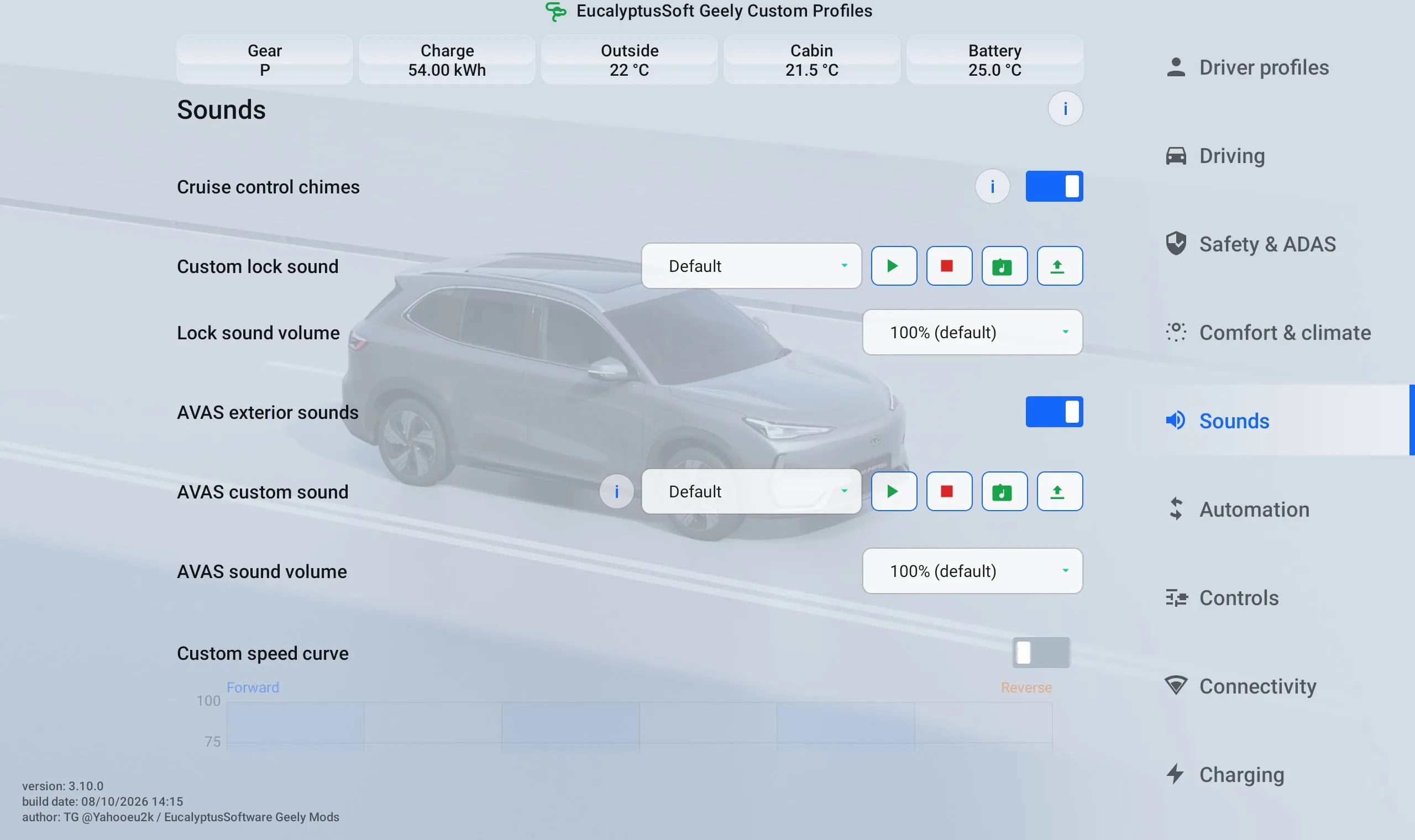
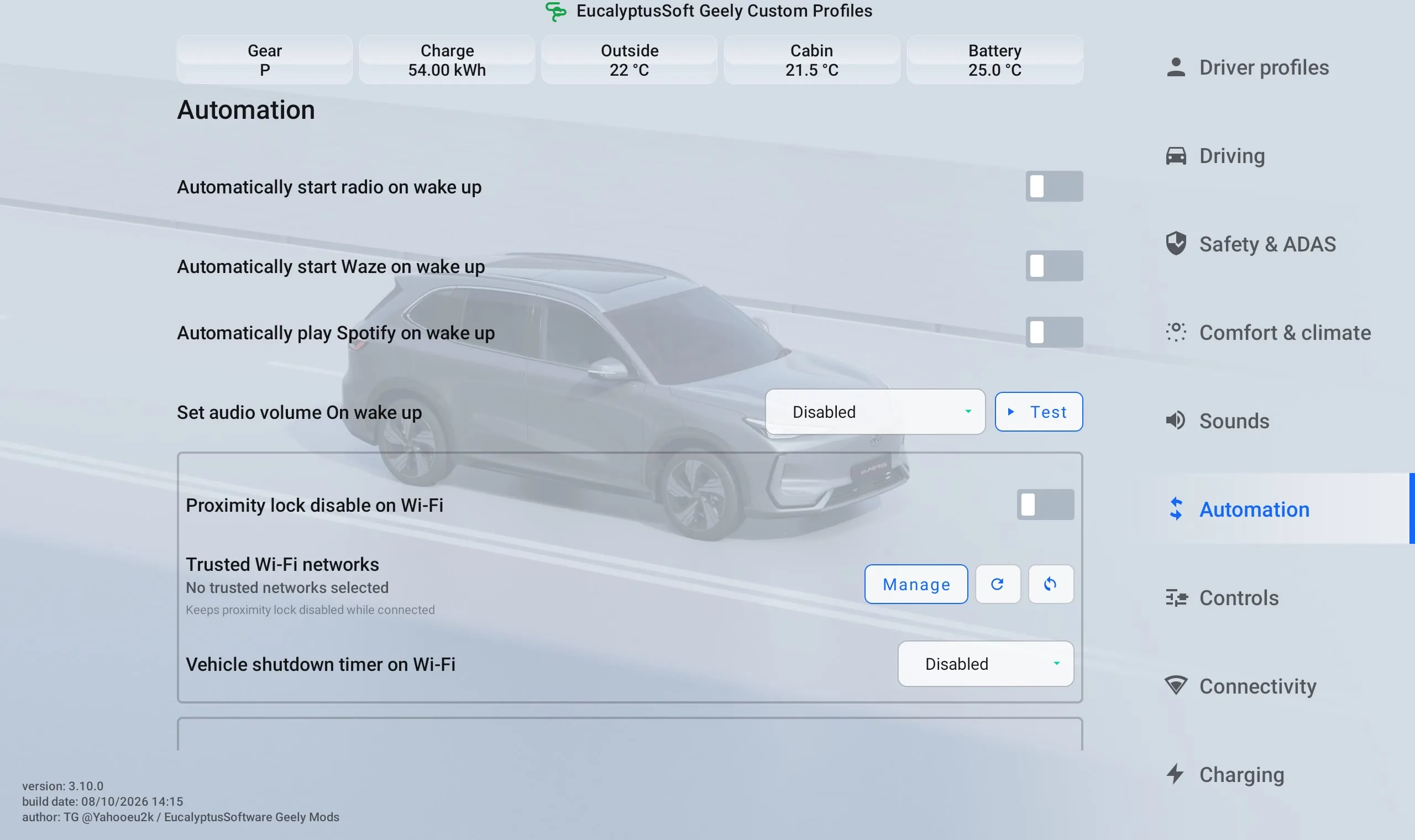
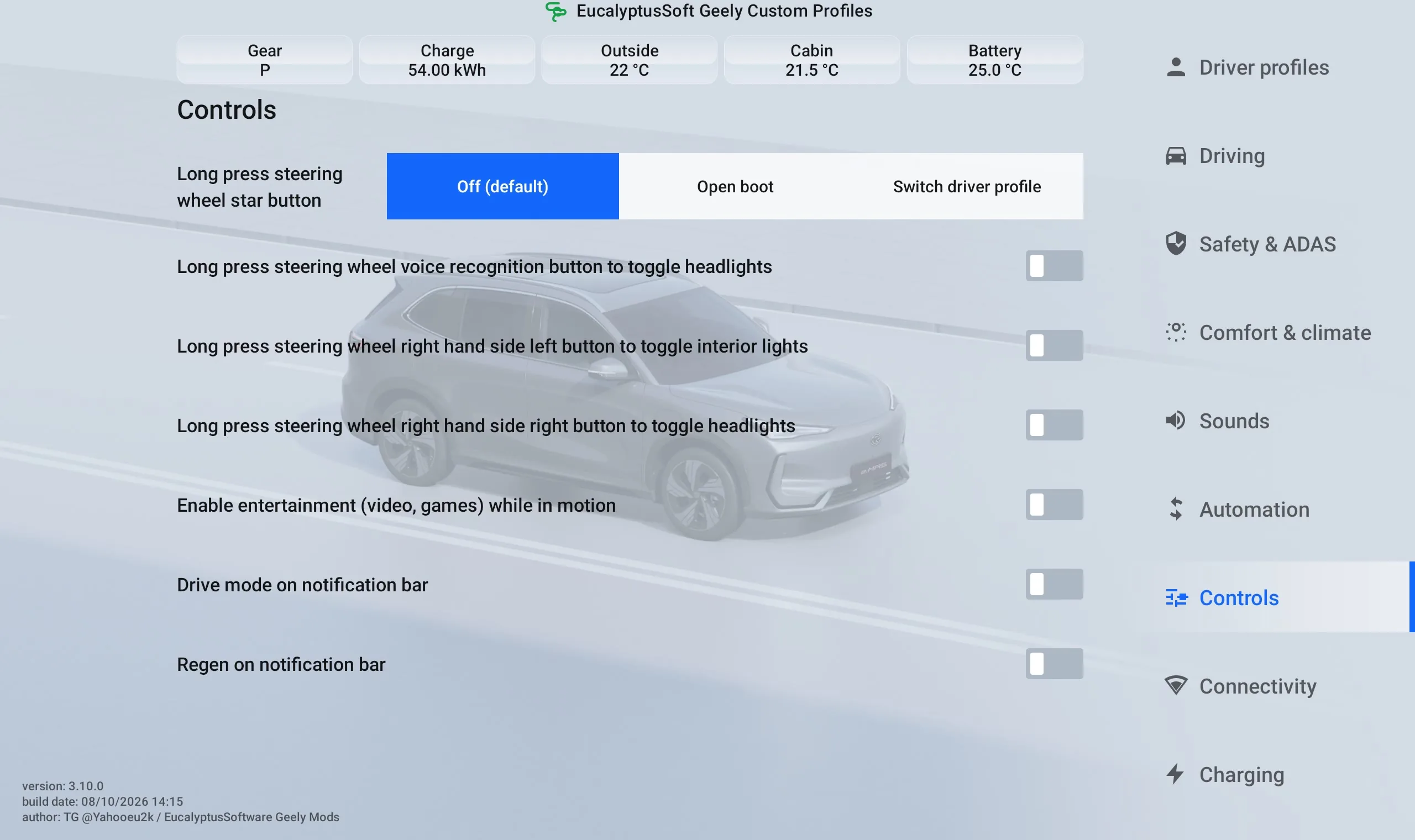
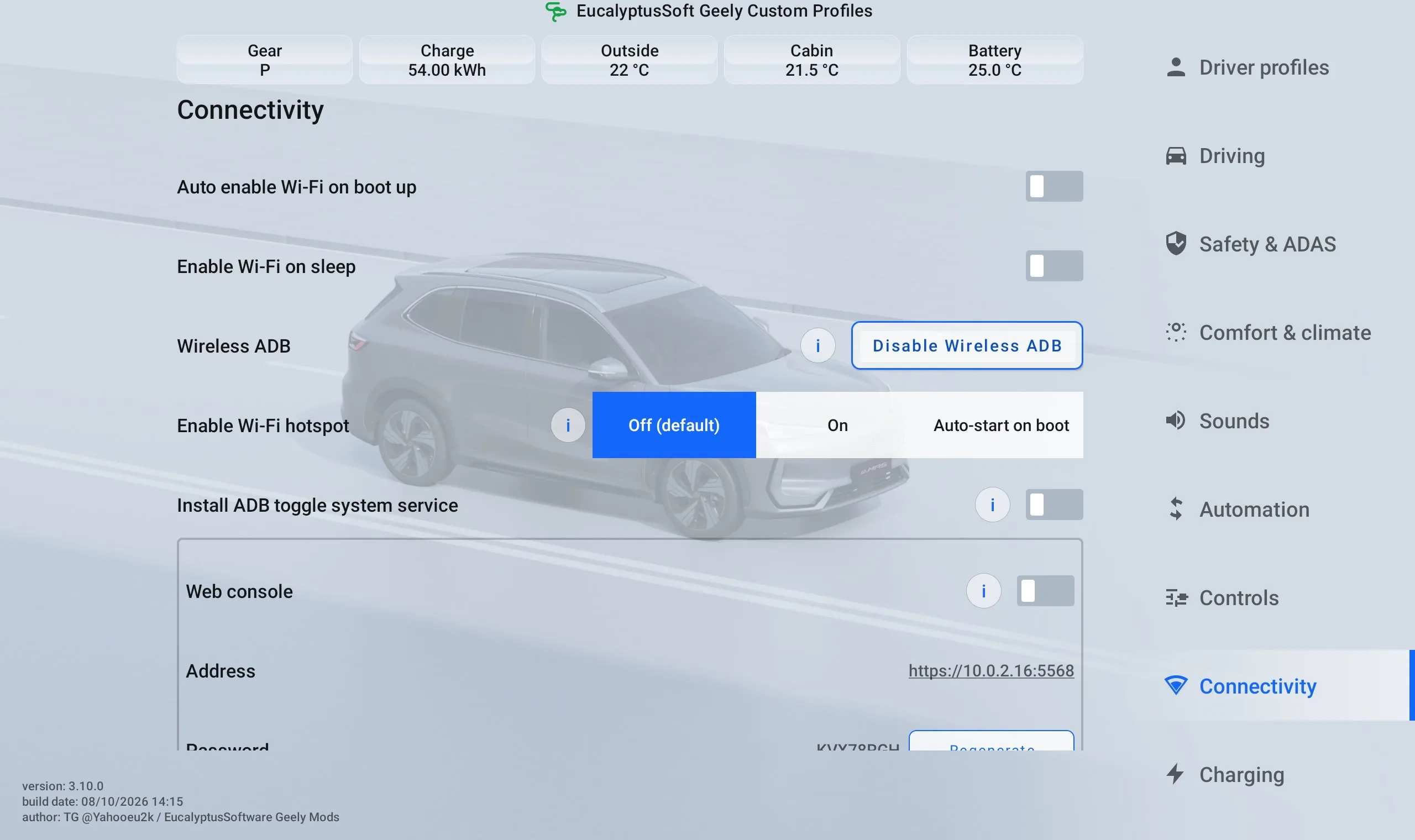
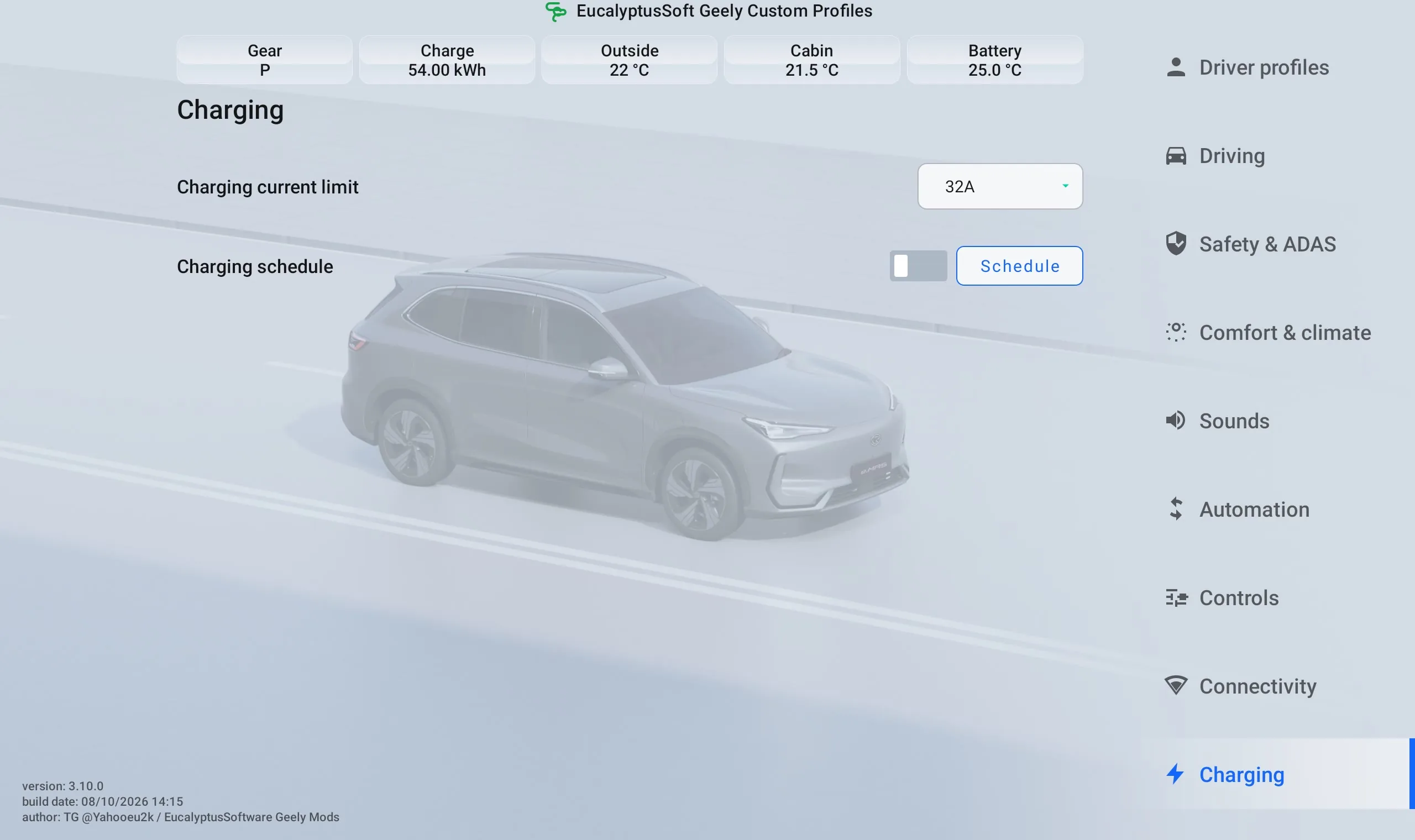
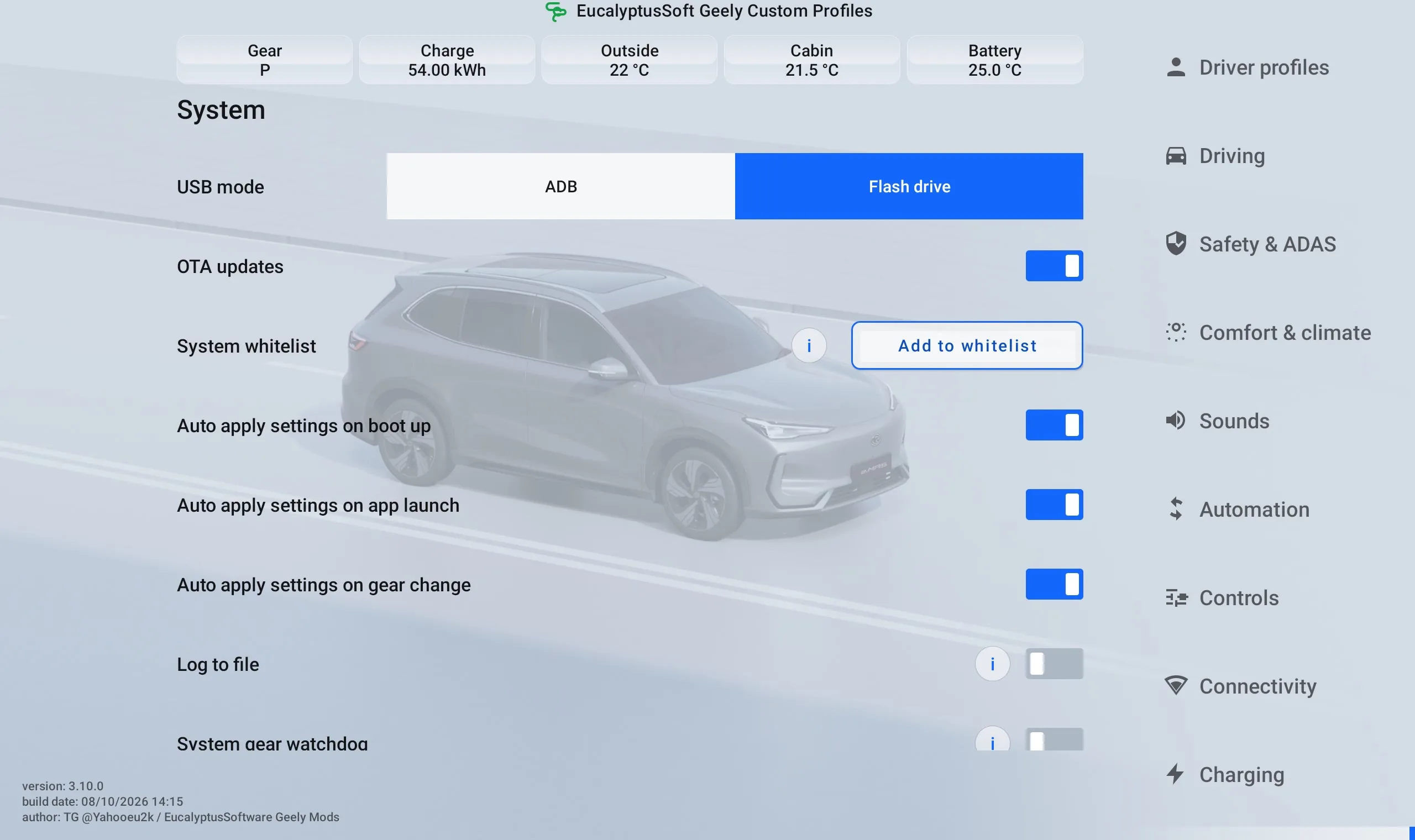
App menu walkthrough
See each menu category, including the settings revealed by scrolling through longer sections.
More videos
Short guides and feature demos — new videos appear here automatically when added to the playlist.
Download
Enforced Settings
Regeneration level
Driving mode
Brake pedal mode
Speed limit alert
Occupant detection
Driver fatigue monitoring
Lane Keeping Assist
Lane Keeping Emergency Departure Assist
Automatic Emergency Braking
Auto Lane Change Assist
Forward Collision Warning
Aircon Eco Mode
Lane Departure Warning
Comfortable Stop
Charging Current
USB mode
Enable entertainment in motion
You will only need to configure your settings once and then it'll do the rest automatically. You won't need to launch this app again to apply your settings!
Additional Features
Smart Scenarios
Disable Proximity Lock on a Trusted Wi-Fi Network
You can now prevent the walk-away auto-lock feature from activating when your vehicle is parked and connected to a designated Wi-Fi network (e.g., your home network). This resolves the inconvenience of the car locking itself in your garage, allowing for easy access to retrieve items like shopping bags without needing to bring the remote control back to the car. For safety, it works only when the car is in P (parked) gear. It includes a vehicle shutdown timer that also turns off the headlights as the EX5 / E5 won't turn off headlights by itself when the car is unlocked, the timer helps with that.
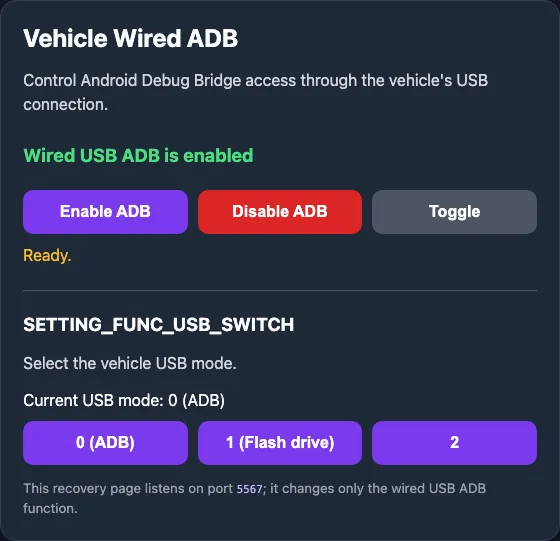
Factory-reset ADB Recovery Service
Custom Profiles can install a small system service that provides a browser-based recovery page on the vehicle's Wi-Fi. If a factory reset (from the vehicle's menu, not a dealer reflash) wipes user apps so that you no longer can enable adb, open http://CAR_IP:5567 from a device on the same Wi-Fi network to restore wired ADB access.
- Survives a factory reset because it is installed on the system partition; a full vehicle OS reflash will remove it.
Vehicle Automation
- Massage: Starts automatically when the seatbelt is fastened
- Massage Timer: Extended massage duration
Wake-Up Automation
- Sunroof Blind: Opens automatically
- Radio: Starts automatically
- Waze Maps: Starts automatically
- Spotify / Spotify Lite: Auto-play on wake-up
- Volume: Adjusts the volume to a comfortable, predefined level — no more startlingly loud music.
Steering Wheel Button Commands
- Open boot or switch driver's profile on star button long press
- Toggle headlights on voice recognition button long press
- Toggle headlights on right-hand side D-pad right button long press
- Toggle interior lights on right-hand side D-pad left button long press
Custom AVAS & Lock Sounds
Replace the stock low-speed pedestrian warning sound (AVAS) with your preferred sounds, with volume adjustment, an adjustable sound curve, and support for loading your own music files. Set a custom lock sound, too.
Driver's Profiles
Save driving preferences across multiple drivers and swap between saved preferences with a single tap — no need to hit Driver Assist settings on each drive. Set a custom profile name that updates instantly on the display, with a handy on-screen icon.
- Pair a preferred Bluetooth phone to each profile — the app automatically force-connects to that driver's phone on switch
- Switch via on-screen touch icon, long-press on the steering wheel star button, or both
Quick Toggles & Floating Buttons
- Notification-bar Quick Toggles for drive mode and regen — e.g. a quick burst in Sport mode without overwriting your saved preferences
- Camping mode floating button
- Parking Comfort floating button
Lighting Automation
- Turn off headlights on parking
- Flash ambient lights with turn signals
- Blinking ambient light with custom colour instead of amber
- Turn off ambient light during daytime in auto night/day mode
Web Console for APK Installs
Browser-based Web UI for APK installs — install apps from your phone or laptop over Wi-FI without needing ADB.
Connectivity & Display
- Wi-Fi Hotspot switch, keep Wi-Fi on during sleep / screen-off, auto-enable Wi-Fi on boot
- Automatic night/day mode based on sunset and sunrise
- Disable OTA updates
- Charging Current Schedule — adjust charging amps by time of day
Compatibility
Tested and works on Geely EX5 / E5, EX5 EM-i, Starray, Starship 7, and Proton e.Mas 7.
Notes
- If you decide to update, user apps (Custom Profiles including) will remain after OS update.
- If vehicle is reset to factory defaults from the menu, this app would be deleted. If the vehicle is reset to factory and then the OS update is performed, the vehicle will return to a full stock state.
Changelog
-
Version 3.12.0: October 2026
+ Workshop mode
+ Replace Parking Comfort and Camping mode floating buttons with a separate floating panel that allows assigning any app(s) and any Custom Profile toggle(s)
+ Add workaround for Comfort Braking not applying (applies it twice due to a bug in the car firmware)
+ Add Hill Descent Control toggle
+ RHD/LHD menu positioning is working now
+ Add pop up menu to notification bar quick toggles
-
Version 3.10.0: October 2026
+ Add bluetooth phone switching when switching driver's profile
-
Version 3.9.0: October 2026
+ Add driver's profiles
+ Long-press star button can now open boot or switch between driver's profiles
+ Add quick notification bar quick toggles for driving mode and regen
+ Increase retries for custom lock sound application as it wasn't applied sometimes
+ Add 'enable entertainment in motion' option
- Remove 'add to whitelist' pop up in favour of a different user watchdog technique
Fix iOS file picker not allowing selection of apk file in Web Console APK installer
Yet more proximity lock fixes
-
Version 3.7.0: September 2026
+ Initial Antora 1000-based Geely EX2 support (still requires a lot of work)
+ Web UI for APK installs and music file uploads
- Hide 'apply' button as no longer needed
-
Version 3.6.1: September 2026
Open sunroof blind on early gear shift and guard against EV charging © Brad
Revert updated seat belt buckled detection logic to previous version
-
Version 3.6.0: September 2026
+ Camping mode floating button
+ Turn off headlights on parking
+ Auto-play Spotify / Spotify Lite on wake-up
+ Volume boost for lock sound
+ New sounds -
Version 3.5.0: August 2026
Improve massage seat belt buckle detection - don't use cached value
Enable blinking ambient light with custom colour instead of amber
Turn off ambient light during daytime in auto night/day mode
Add support for language translations
Add support for RHD/LHD menu display (buggy atm)
-
Version 3.4.2: August 2026
Add custom lock sound selection
-
Version 3.4.0: August 2026
Add EX5 EM-i & Starray support - different driving modes and Battery Hold.
Auto-massage logic improvements.
-
Version 3.3.0: August 2026
Add flash ambient lights with turn signals
-
Version 3.2.4: August 2026
Add AVAS adjustable sound curve
Add loading of music files from folder
Fix massage timer not extending.
Make sunroof blind auto open on wake only when the display is on to prevent false opening when the car turns on the head unit by itself
Fix AVAS on/off toggle not working
Fix AVAS chimes on/off toggle not working
Fix AVAS music import
Add option to stop massage on parking
-
Version 3.2.0: August 2026
Add Wi-Fi Hotspot switch
Add option to disable chimes when cruise control is turned on or off
Add custom AVAS sounds and volume adjustment
Add watchdog
-
Version 3.1.6: August 2026
Fix vehicle shutdown timer not working when proximity lock is disabled on a trusted Wi-Fi network.
Stability improvements and bug fixes.
-
Version 3.1.1: August 2026
Fix a bug which could have caused the app to consume all available storage space.
Battery charging decimal separator is now a dot.
-
Version 3.1.0: August 2026
Add option to turn on massage when seatbelt is fastened.
Customisable massage duration.
Add setup wizard.
-
Version 3.0.2: August 2026
Make the app load faster at boot.
Fix proximity lock on location making app crash.
Add buttons to open Venus Vehicle Settings and Android Settings.
Add outlines to show current property status
Make all settings apply straight away without having to press apply
Add auto turn on massage on wake up
-
Version 3.0.0: August 2026
Redesign app.
Add proximity lock disable on location.
Add app whitelisting option.
Add day/night mode
Fix volume not auto-setting in the user flavour of the app
-
Version 2.3.0: August 2026
Add an installable system ADB recovery service with a lightweight browser control page on port 5567 that allows to control USB mode.
-
Version 2.2.0: July 2026
Add toggle to enable wireless adb.
Remove the framework patch and the system version of the app from the distribution package.
-
Version 2.1.3: July 2026
Fix sunshade not auto-opening
Add Comfortable Stop (Comfort Braking) toggle
Add Aircon Eco Mode toggle. -
Version 2.1.0: July 2026
Add Lane Departure Warning toggle.
Fix the user version not working.
Comes bundled with an updated framework patch for firmware 1.2.2.3. If installed without it, the head unit goes into bootloop. -
Version 2.0.1: Mar 2026
Hotfix release - app is working again. Use the same download link as for 2.0.0.
-
Version 2.0.0: Mar 2026
Modify VHAL property settings approach to enable operation without the need for a framework patch. The app can now work in userspace with the Wi-Fi manager functionality disabled.
Add new features:
- Parking Comfort floating button
-
Version 1.10.1: Feb 2026
Bugfix: Wi-Fi on sleep not working.
-
Version 1.10.0: Feb 2026
Add new controls and features:
- Charging Current Schedule
- Charging Remote Control via intents / DLB Charging app
- Enable Wi-Fi on sleep when display is off
Bugfixes: Forward Collision Warning setting applying before "Save" button is pressed
Framework: Fix radio error showing up on boot in Flyme OS 1.2.0 and above
-
Version 1.9.0:
Add new feature:
- Automatic night/day mode based on sunset and sunrise
-
Version 1.8.0:
Add new controls and toggles:
- Disable OTA updates
- Auto-enable Wi-Fi on boot (CarPlay and Android Auto turn it off, don't they?)
- Forward Collision Warning
- Charging Current Limit (will set when the head unit boots up which happens when charging starts)
- Charging Current schedule - adjust charging amps according to time of day
-
Version 1.7.3:
Add new features:
- Open boot on steering wheel star button long press
- Toggle headlights on steering wheel voice recognition button long press
- Toggle headlights on steering wheel right-hand side right button long press
- Toggle interior lights on steering wheel right-hand side left button long press
- Add display of EV battery, cabin, and ambient temperature
-
Version 1.6.0:
Add Automatic Emergency Braking and Auto Lane Change Assist toggles. Make Sunroof Blind setting apply on vehicle screen power on in addition to vehicle boot up to cater for scenarios when sunroof blind was automatically closed by vehicle during a short stop without a boot up event to trigger its reopening.
-
Version 1.5.3:
Fix menu items positioning for interfaces in right-to-left (RTL) languages such as Hebrew.
-
Version 1.5.2:
Adds on/off toggles for Lane Keeping Assist and Lane Keeping Emergency Departure Assist. Adds fallback gear change service. Adds open sunroof blind on app open.
-
Version 1.4.3:
Adds new functions on vehicle boot up:
- Auto-open sunroof blind
- Auto-start radio
- Auto-start Waze
- Auto-adjust volume level to predefined value (as the default value is too loud) -
Version 1.3.7:
Replace gear change callback with 5-second polling. Remove unused services. Improve gear change service resiliency.
-
Version 1.3.4:
One more attempt to fix the bug when settings weren't auto applied. Reduce maximum log rotation size to 512 mb.
-
Version 1.3.2:
Fixes a bug introduced in 1.3.1 where settings weren't applied automatically after gear change. Make "current" labels darker. Add a 3-minute auto-shutdown timer.
-
Version 1.3.1:
Bugfix release. Disable automatic enabling of auto-lock on car's Wi-Fi module sleep. Add a 2-minute auto-lock enable timer when not connected to a trusted Wi-Fi network.
Supersedes the previous release. Download with the same link as ver. 1.3.
-
Version 1.3:
Added location-aware locking scenario: Disable Proximity Lock on a Trusted Wi-Fi Network.
You can now prevent the walk-away auto-lock feature from activating when your vehicle is connected to a designated Wi-Fi network (e.g., your home). This resolves the inconvenience of the car locking itself in your garage, allowing for easy access to retrieve items without needing to bring the key fob back to the car.
Stability improvements. Speed up settings application. Add defaults for new installs. Remove "standard" brake pedal mode, fix brake pedal being reset to "standard" mode. Fix some settings being reset before applying again.
-
Version 1.2:
Stability improvements. Settings reapplied again 10 seconds after gear change.
-
Version 1.1:
Public release.
Frequently Asked Questions (FAQ)
Q: Does this work on Proton e.Mas 7?
A: Yes, it works. Proton e.Mas 7 is a rebadged Geely EX5. It's the same car.
Q: Does this work on Geely EX5 EM-i, Starray, Starship 7 Facelift / Restyle
A: Yes, it works on any Antora 1000-based Geely vehicle.
Issues? Feedback? Gratitude?
Telegram Group: t.me/GeelyEX5ClubGlobal
Support This Project
Developing this app took a lot of time and effort. If you're a new user, please purchase it. The download links will be emailed to you after. Updates are free for one year since purchase.
If you're already using this app and find it useful, please consider a donation to support its continued development.
Donate NowUseful Links August 2026
-
HUD Control — Waze on HUD
Show Waze navigation on the head-up display of Geely EX5 / E5, Geely Starray and Geely EX5 EM-i.
-
AVAS Emulator
Emulate and test Geely EX5 / E5 AVAS (Acoustic Vehicle Alerting System) sounds.
-
Custom Lock Sound
Custom lock sound.
-
Geely Global Home Assistant Integration
Home Assistant integration for Geely vehicles.
-
EVCC App
Video about the EVCC app.
-
EVCC/EVcam Author on RedNote
RedNote profile of the EVCC app author.
-
EVCam App
EVCam app for Geely vehicles.
-
Geely Seat Widget App
Seat widget app for Geely vehicles.
-
ANHUD App
Alternative HUD app for Geely vehicles.